“Within 360 Scenes, your audience has 360 degrees of freedom. This essentially means that they can look in any direction, be it right, left, up, down or behind them.” (HoloLink, 2024)
During week one and two, we have learnt about AR and VR technology and techniques which help to create immersive narratives and experiences in which users can explore, interact, and communicate within 360 spaces. AR and VR can be used alongside accessories such as Occulus headsets, which further enhance the narrative by allowing users to feel more present within the experience and incorporating vision, sound and motion.
Augmented and virtual realities can be applied in several ways, across multiple disciplinaries and fields. For example, some medical education institutions use VR and AR to train practitioners through life-like experiences designed to replicate real situations in a safe, controlled environment. An article by Arden&GEM explains how AR teaching resulted in a higher engagement rate, equating to better performance and application of knowledge. (Arden&GEM, 2024) Additionally, hospitals can use VR to help educate patients in preparation of a procedure, allowing them to understand it and reduce potential stress or anxiety.
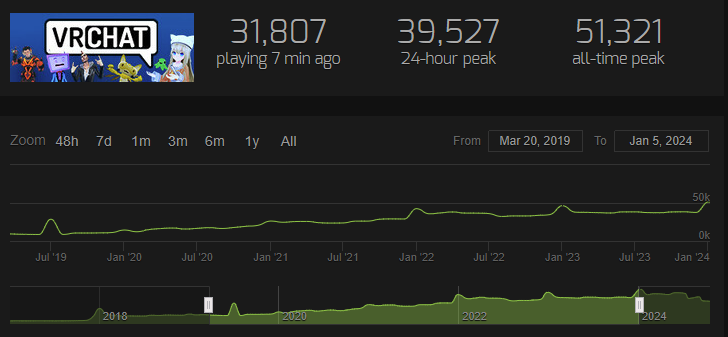
The possibilities with AR and VR are endless. Users can experience a range of situations and conditions, both for educational purposes and for recreational ones. AR/VR spaces can allow users to come together and connect, as seen throughout the COVID-19 pandemic in which VR spaces such as VRCHAT helped to keep people connected despite isolation rules.
“At least for some users, VRChat has provided a sympathetic and comfortable environment during the pandemic to act as a surrogate for social interaction during social distancing and isolation.” (Rzeszeweski, Evans, 2020)
In this figure, we can see that VRChat downloads increased from 8k to 50k+ between 2019 and 2020 during the COVID-19 Pandemic.
Creating a scene for my first 360 experience
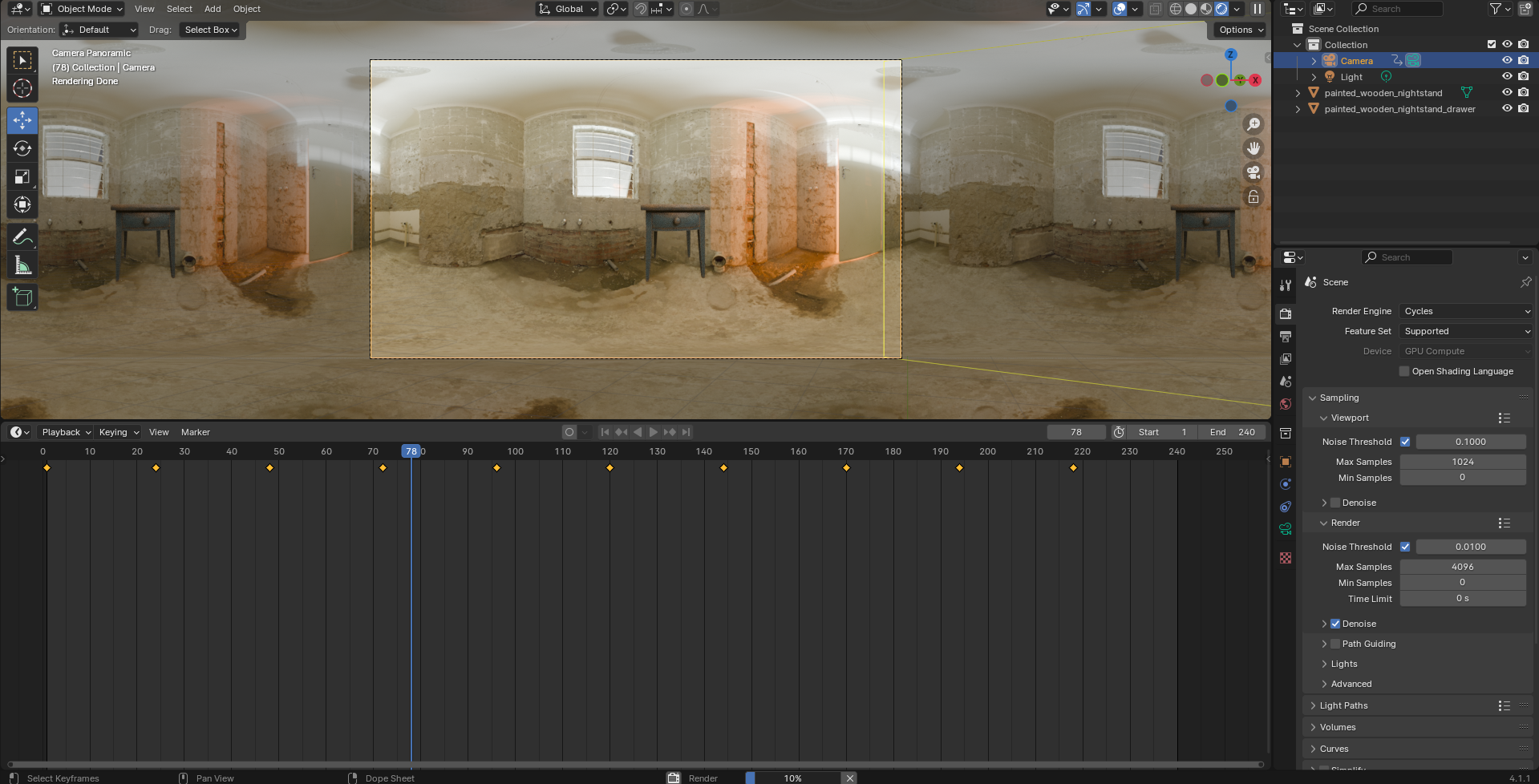
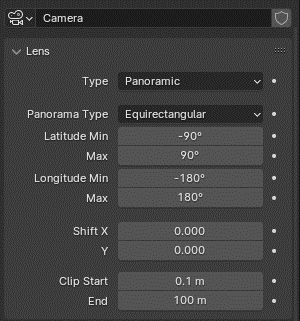
For my first experiment, I practiced using Blender to create an immersive 360 experience through YouTube. To do this, I set the camera to be panoramic, which captured the entire scene at one time, which then allows users to explore and toggle the camera to look at different areas at any time.
Setting up the camera for the 360 canvas
I created a basic scene using a HDRI as an environment texture to add some sense of narrative and visual interest. I also downloaded some 3D models to add a bit more interest and context to the scene. However, I did not focus as much on plot for this, as the purpose was to become familiarized with the 360 canvas and designing within it.
When rendered, I moved the image sequence into Premiere Pro, where I was then able to configure the settings for VR. From here, I could upload straight to YouTube and test the experience for myself. Overall, this was quite successful, and the user can move the camera around as they please to view different areas in the scene.
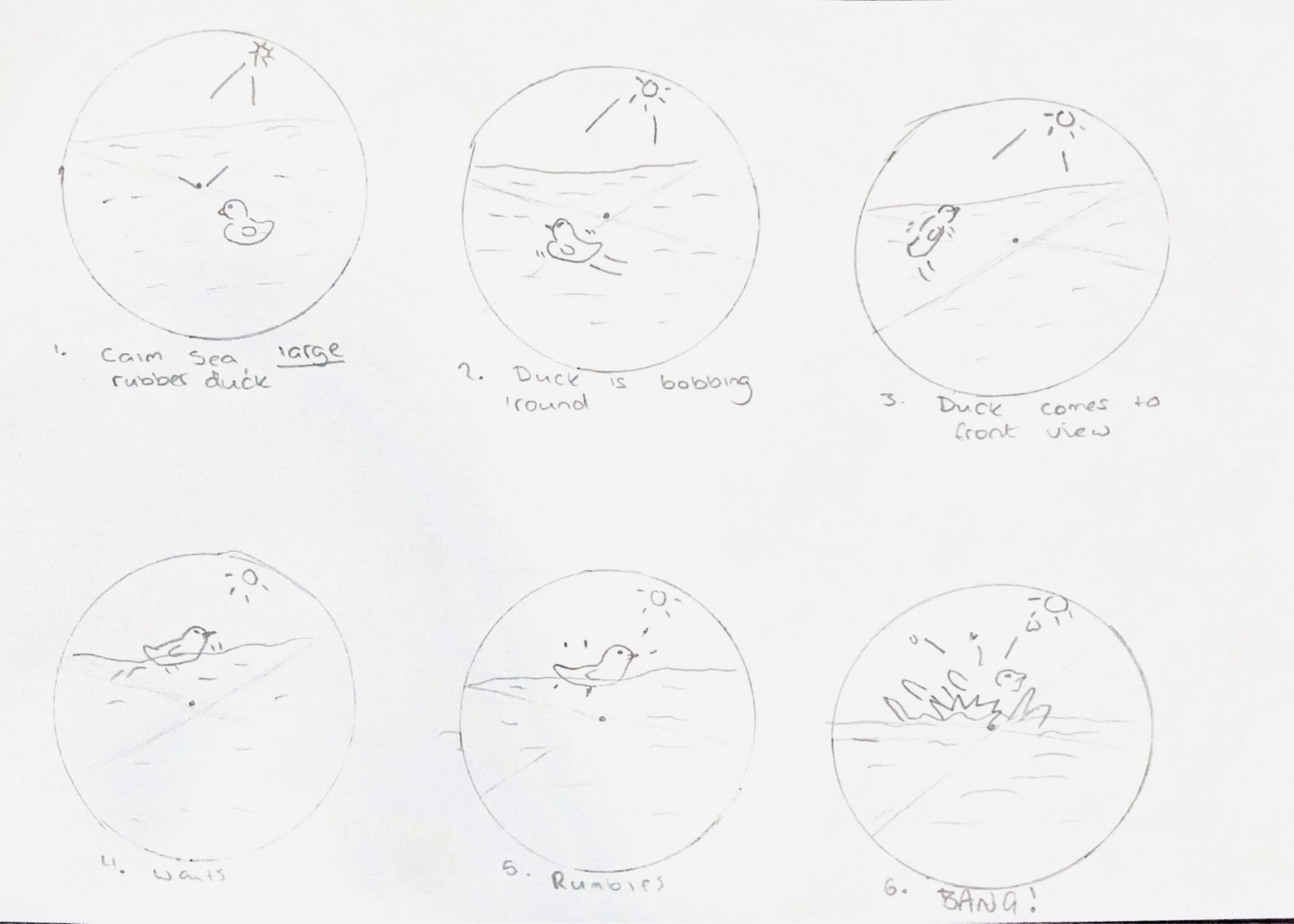
If I were to create another 360 video, I would focus more on narrative and storytelling. This can be done using story-spheres, which act as a storyboard for 360 canvases, considering what is happening both in and out of the camera frame at all points of the animation. I have created a story-sphere for a simple experience in which the user finds themselves in the middle of the sea, with a large rubber duck floating around them, which then explodes and causes a large tidal wave to wash over the viewer.
A story sphere for a potential future project
I would also consider other ways of making the experience more immersive, such as sound. Adding sound can further the sense of presence and realism. Surround sound can be useful in guiding the user through the scene without explicitly telling them, which leaves them with the sense of being in control of the experience without distracting them or lessening the sense of immersion.
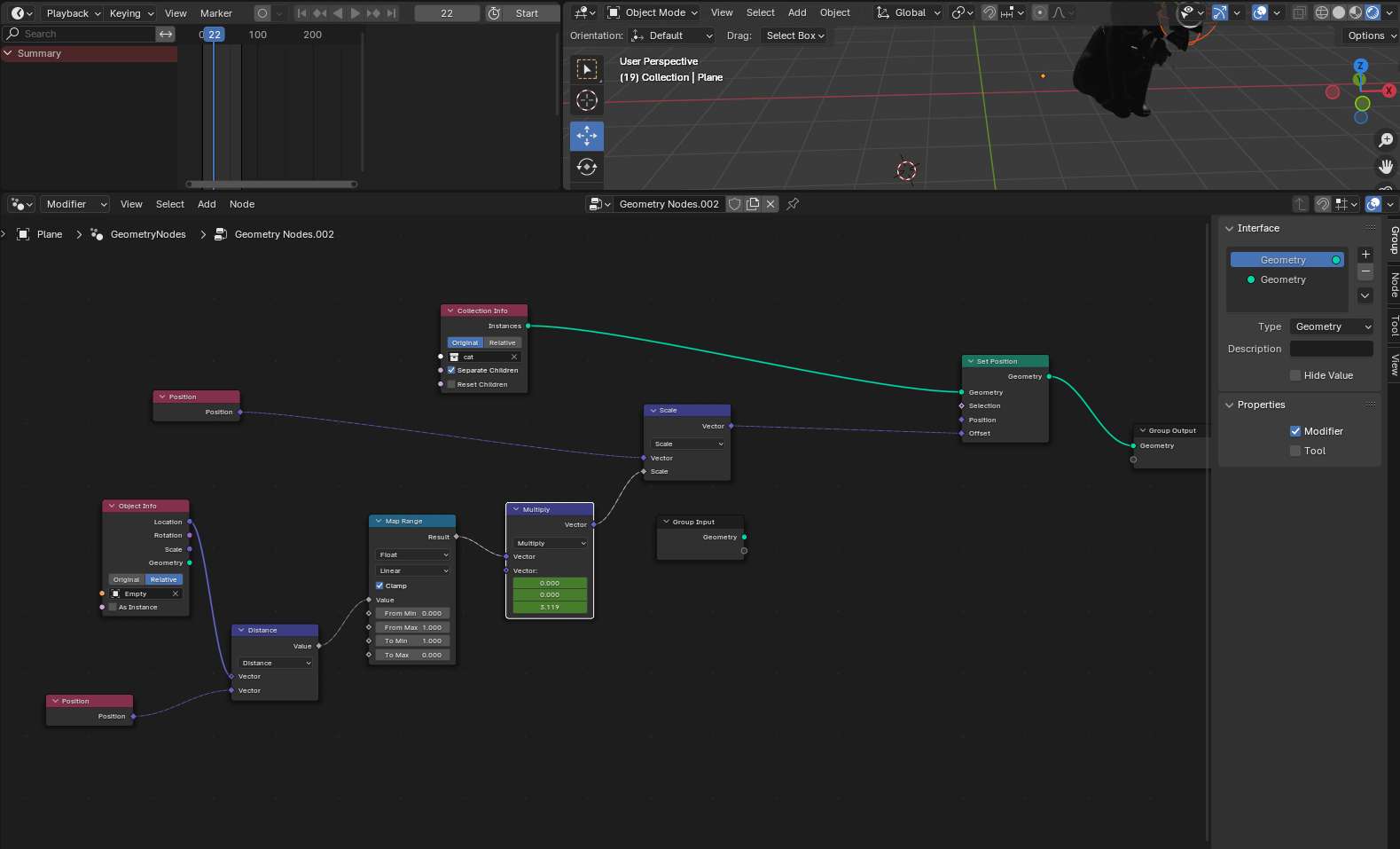
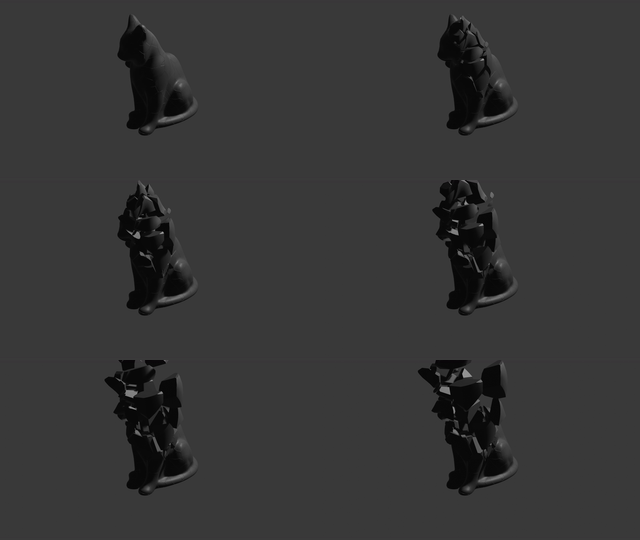
In Blender, I practiced using geometry nodes to create a shattering effect. I tested the technique on a pre downloaded model of a cat statue. Geometry nodes can create a range of effects, such as audio visualizers, procedurals and other customizations to an object’s geometry, making it a useful tool when creating motion effects for an immersive experience.
Geometry Node settings for shatter effect
GIF of shattering effect using geometry nodes
In week two, I tested out another VR/AR method called FrameVR.
FrameVR is a web-based platform which allows users to create their own immersive spaces using prebuilt templates or by importing their own items. Users can also create their own avatar which they can control and use to explore the scene. FrameVR enables users to invite other people into their worlds, creating a shared experience in which they can communicate using either the chat box or voice chat options. Similar to VRChat, FrameVR focuses more on the social aspects of VR and brings users together, allowing for communication and collaboration.
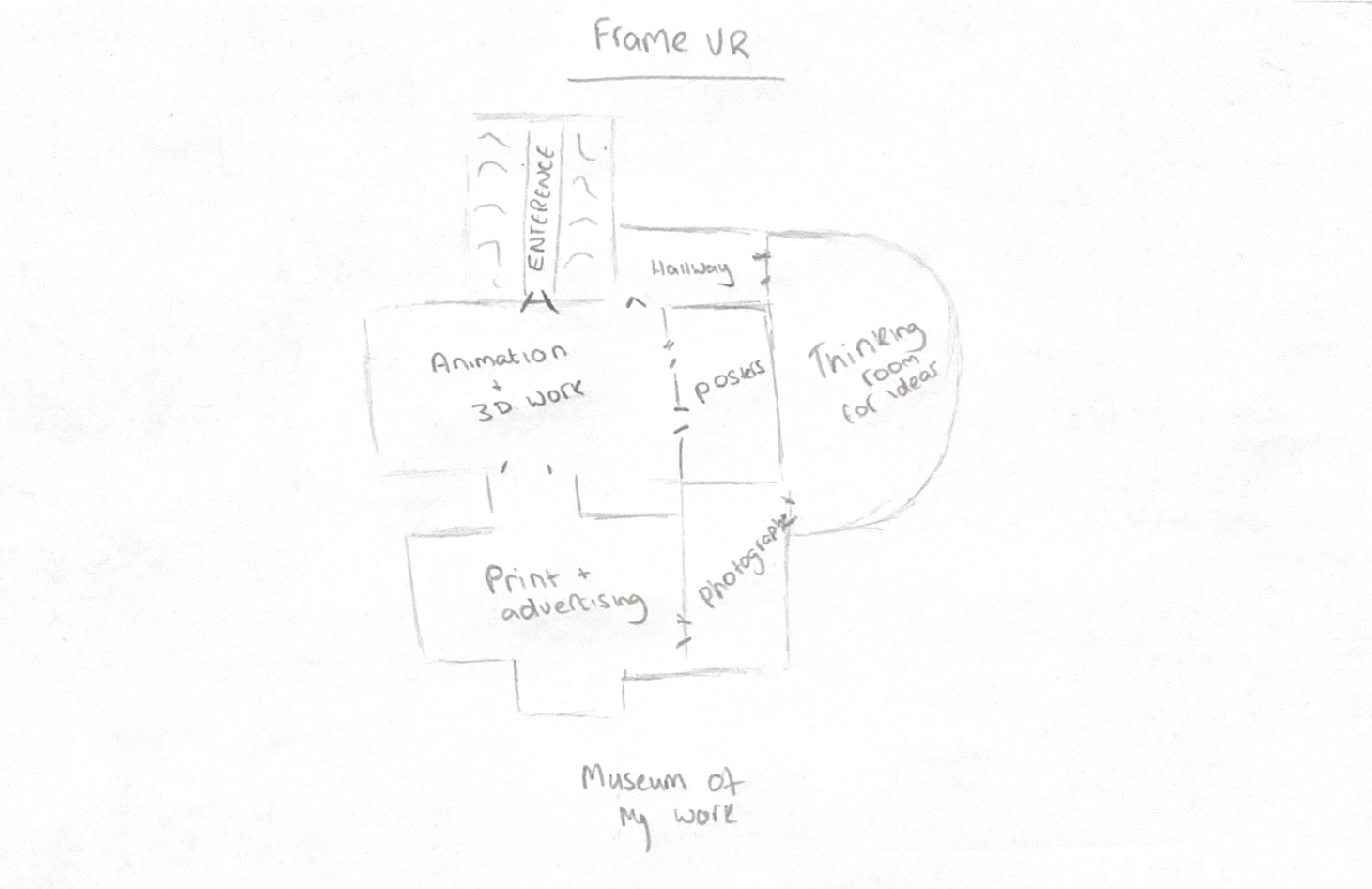
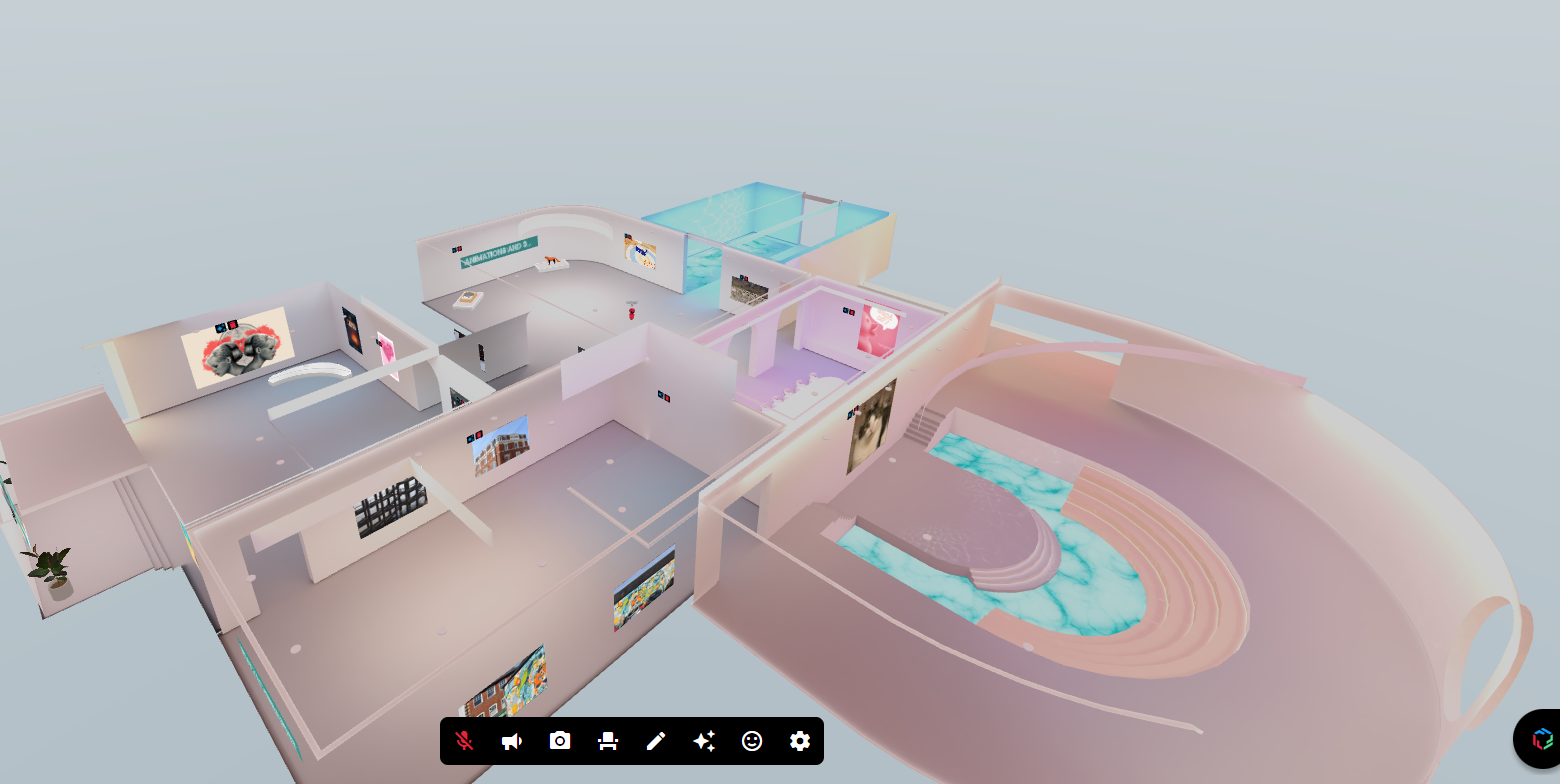
Because FrameVR allows you to import video, images, 3D models and more in gallery-like spaces, I decided to create an ‘exhibition’ which highlights some of my work that I have created during my time at university. I began by choosing a template and then sketching out a floor plan based on this layout, planning what I will put in each room based upon different modules – i.e. Animation, 2D Print, etc.
FrameVR layout
Navigating the FrameVR interface is quite easy, so it was quite a straightforward process importing my assets into the scene. Once I had done this, I invited a classmate into the world via a link. I took a screen capture to show us both interacting with the world and exploring, using the chat feature to talk and interact with each other as we explored.
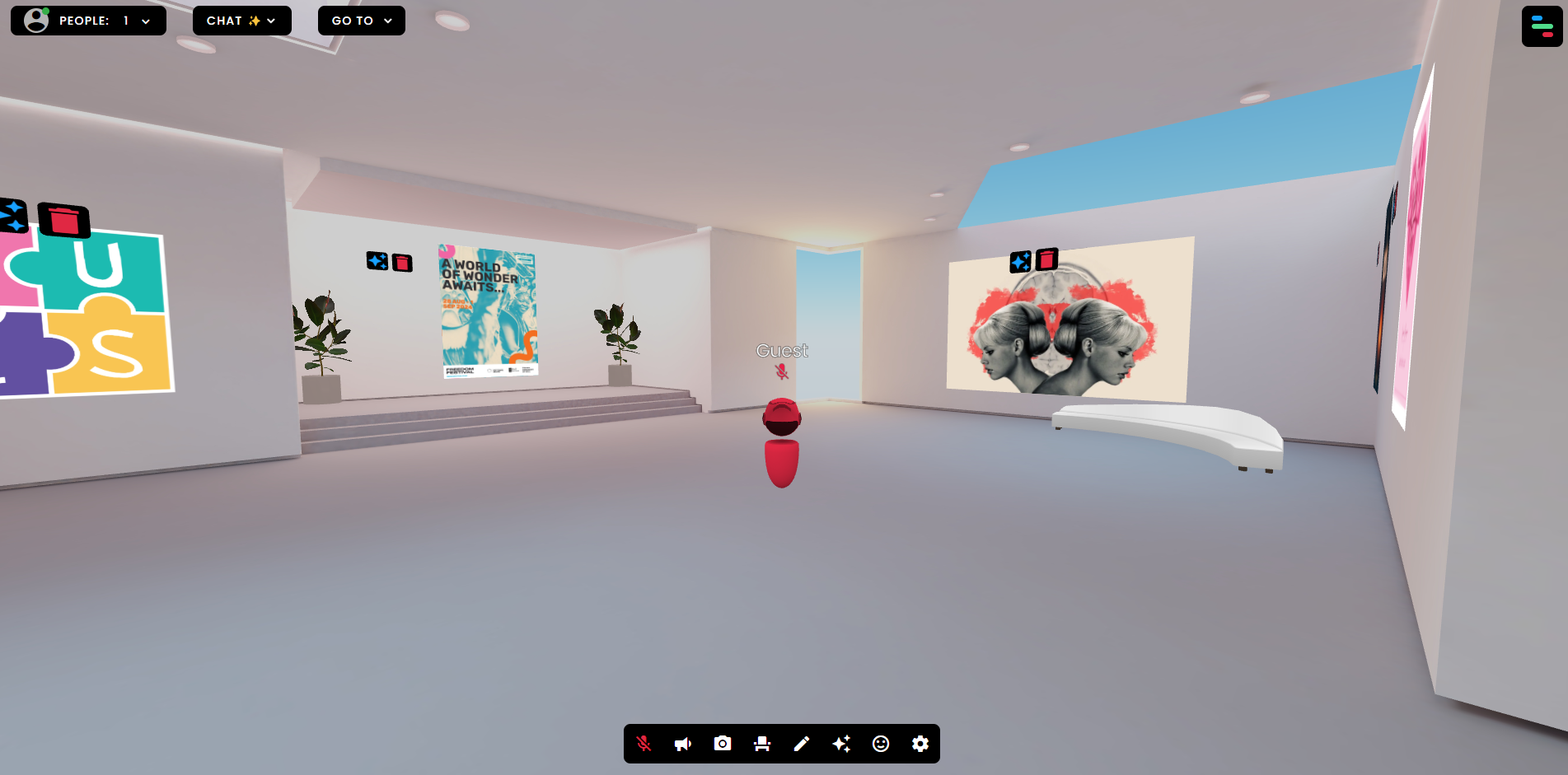
Something I also noticed when using FrameVR, is that it uses a third-person POV rather than a first-person one. POV is important to consider in VR as it can alter how the user navigates and interacts with the world. For example, a first-person POV may cause complications due to having to consider if the user will see a body when they look down, or if they will see an arm if they lift their own – this may be distracting or restrictive. Third-person POV can be more forgiving as it creates a sense of omnipresence, giving the user absolute control of the environment and how they are able to interact within it.
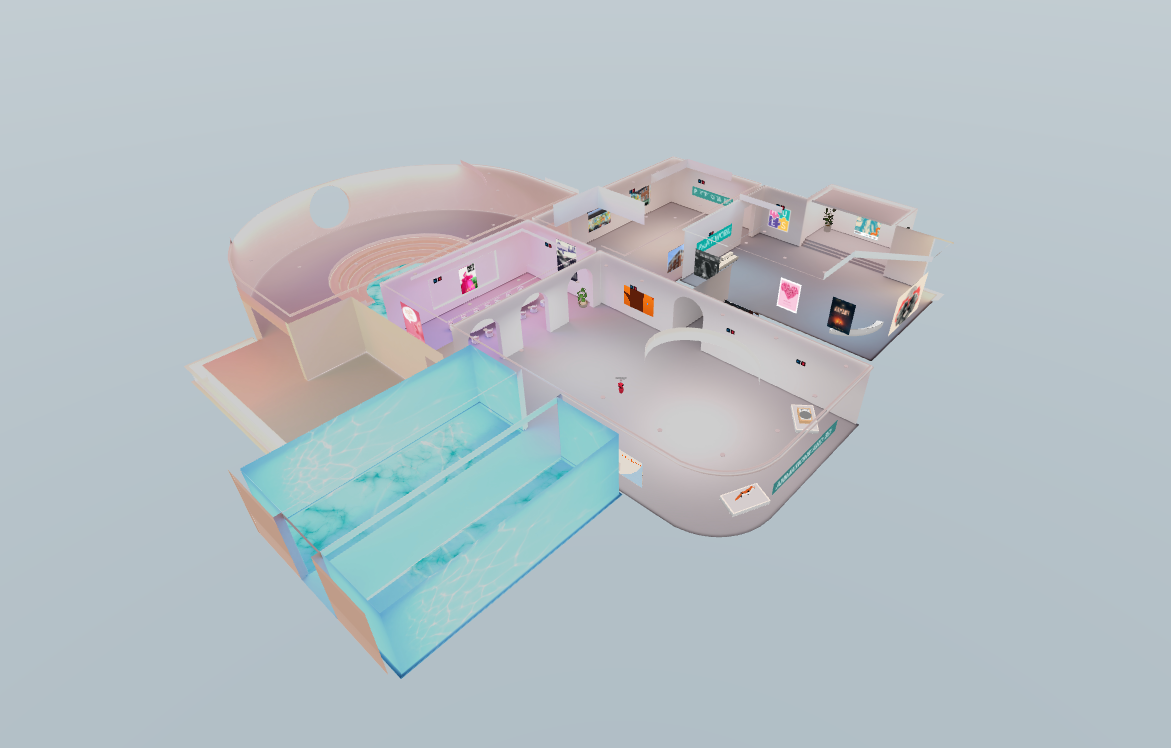
3/4 view of my Frame VR experience
A 3/4 view of my Frame VR experience (opposite)
A first person POV of my Frame VR experience
Overall, these practical experiments have been very informative on the capabilities and uses of VR/AR.
References:
Arden&GEM (2024) Immersive technologies in healthcare – The rise of AR, VR and MR [Article]. Available online: https://www.ardengemcsu.nhs.uk/showcase/blogs/blogs/immersive-technologies-in-healthcare-the-rise-of-ar-vr-and-mr/ [Accessed: 15/10/2024]
HoloLink (2024) Hololink 2024 [Website]. Available online: https://www.hololink.io/blog-posts-hololink/360-augmented-reality-experiences-with-hololinks-ar-editor [Accessed: 15/10/2024]
Rzeszeweski, Michal and Evans, Leighton (2020) Virtual place during quarantine – a curious case of VRChat [Article]. Available online: https://www.researchgate.net/publication/349155537_Virtual_place_during_quarantine_-_a_curious_case_of_VRChat [Accessed: 15/10/2024]