
Augmented Reality Experience.
Production Piece (Video)
Production Blog
My proposed project was to create an augmented reality ‘portal’ intended to aid agoraphobia by replicating outdoor spaces which users can access through their mobile device, whilst feeling safe and in control of the experience. The aim was to help users become more ‘exposed’ to these situations in a comfortable way, which would hopefully make them more confident to handle similar situations in the real world. My initial research led me to discover that VR therapy was proven beneficial to agoraphobic patients (NICE, 2023) yet wasn’t readily available due to long waiting lists (NHSProviders, 2023). This encouraged me to develop this concept so users could still achieve similar benefits in a more accessible way.
Initially, I had planned to work in Unity. I had followed some tutorials for ARCore and ARKit to create mobile-based experiences. Using Blender, I made a ‘room’ container which I could mask over to create a doorway leading into a room overlayed above the ‘real world’.
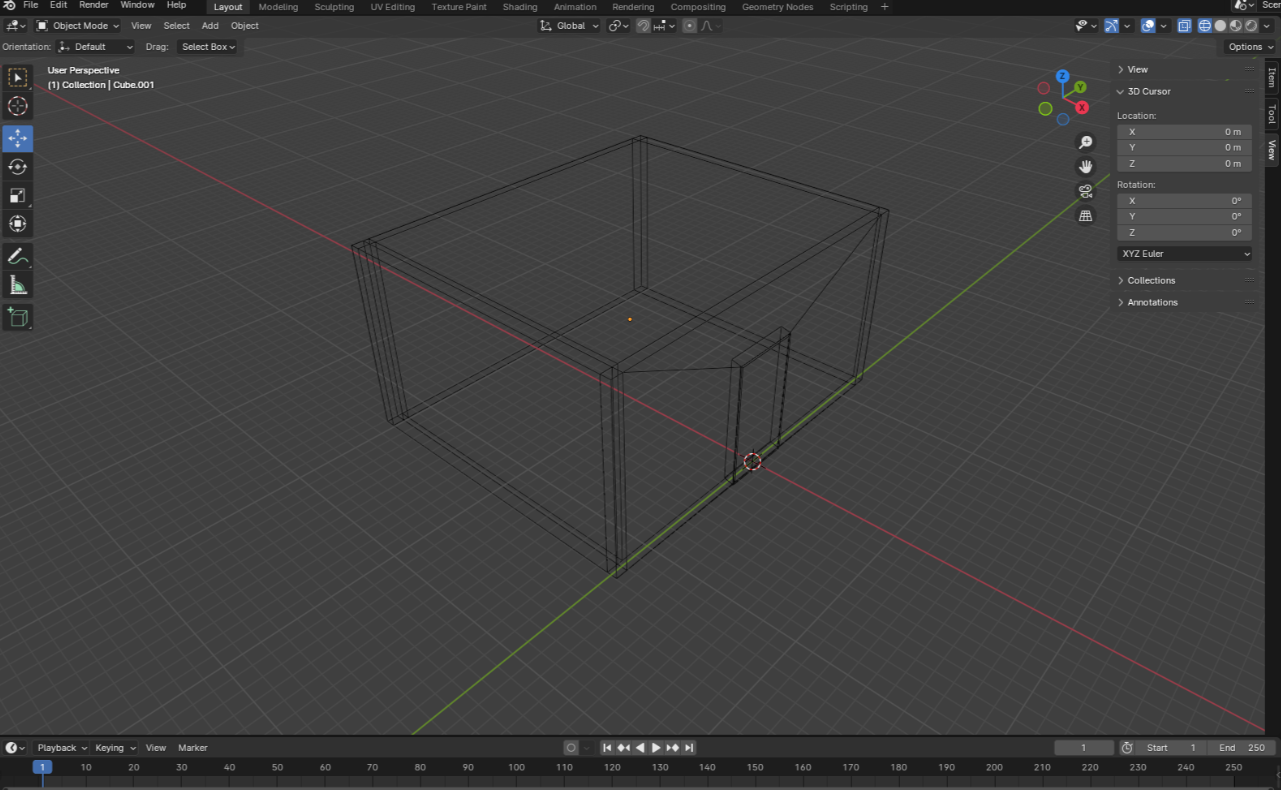
I managed to create the mask effect, but I soon realized that setting up the ARCore / ARKit would involve a fair amount of coding, which I didn’t have much knowledge of. I only had six weeks to produce my project and ultimately decided that it would be detrimental to my workflow, so I had to reconsider the software I was using.
As an alternative, I switched to working in Adobe Aero. Not only does Aero require no coding, but it is a part of the Adobe suite – meaning the interface was very similar to other Adobe software, and it felt much more intuitive for me to work within.
However, having only being released in 2019, Aero is still very new in comparison to Unity, and is still in Beta – meaning that there are some limitations. One limitation is that there’s no way to create an actual ‘portal’ in Aero, although there is the option to mask objects. Aero supports fbx and gltf files, so I imported my previous Blender model and experimented with object masking to hide the outer walls of the container. From here, I was able to replicate the ‘doorway’ effect, meaning the user could walk through the doorway into a separate room outside of the real world.
With this prototype, I did some user testing in class. One of the main concerns pointed out to me was that you couldn’t guarantee user safety within the experience. Since it completely obscures the real world, users could become unaware of their surroundings, leading to collisions and potential accidents. As I cannot control the space in which the user accesses the experience in, I must instead consider ways in which I can merge the AR world with the real world.
This was quite difficult as a lot of anxiety for agoraphobic people stems from situations outside of their control – such as public spaces (Coppack, 2023). So how could the user benefit if they are still clearly in their regular ‘safe space’?
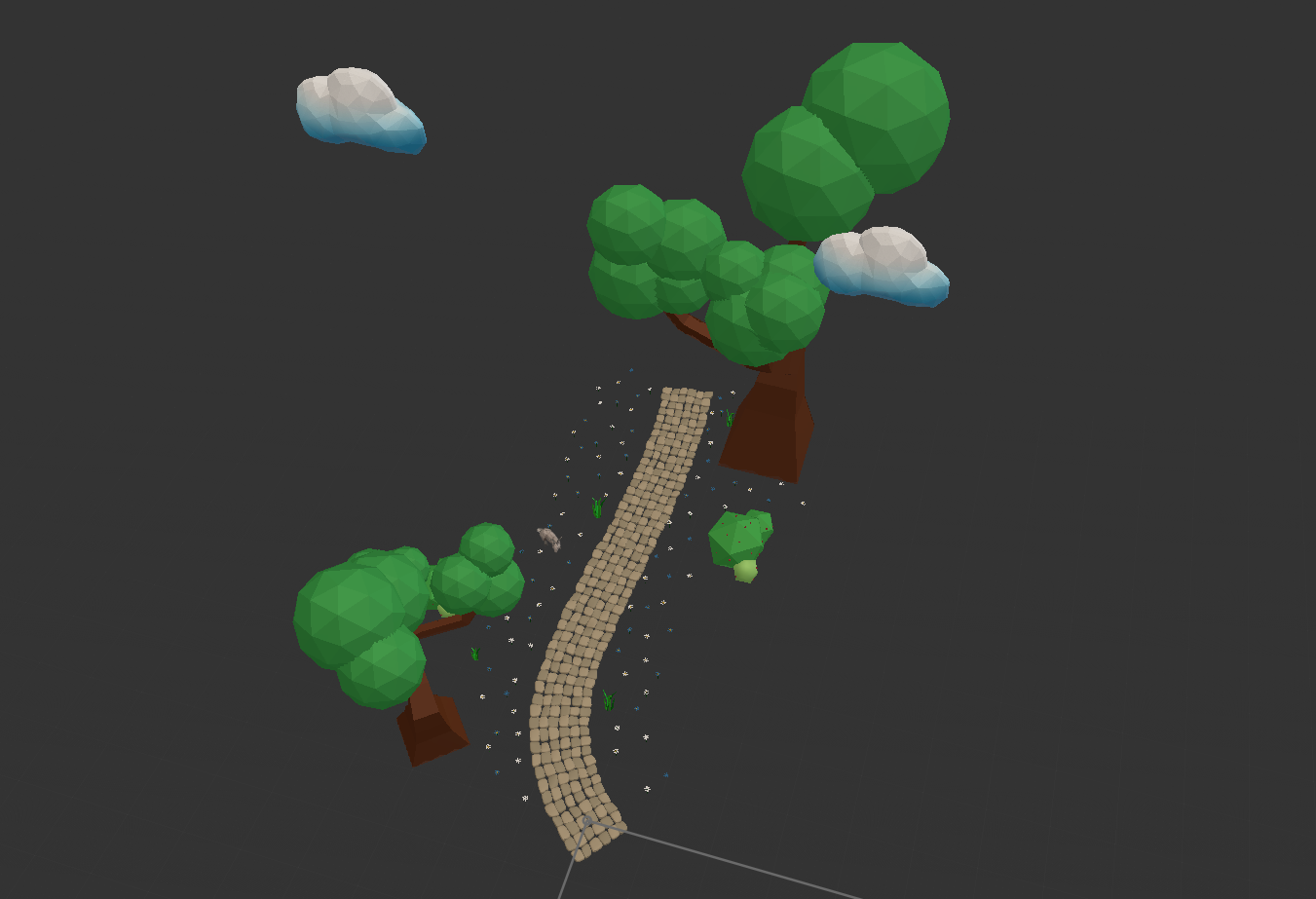
At this point, I had to go back and reconsider my concept. I decided to simplify my ideas to create more of a ‘suggestion’ of being outdoors, using the real world as a base for various outdoor elements, seamlessly blending the two together. From here, I came up with a new idea to create a garden scene with a path which the user could walk upon. This meant that the user has a smaller ‘walking space’ leading to a smaller chance of collision with the real world. In addition, there would be elements such as plants, trees and animals which surround the path, but don’t fully obscure the real world – meaning the user is still aware of their surroundings.

To enhance the experience, sounds would play to make the scene more realistic, and animations would be used on objects in the scene for motion and a deeper sense of immersion. Interactive elements would also be utilized so the user felt more in control – for example, ‘add’ and ‘takeaway’ buttons which allow the user to adjust the number of objects on screen if they felt overwhelmed at any point. As the user progresses, proximity behaviors would cause the scene to extend and become more complex.
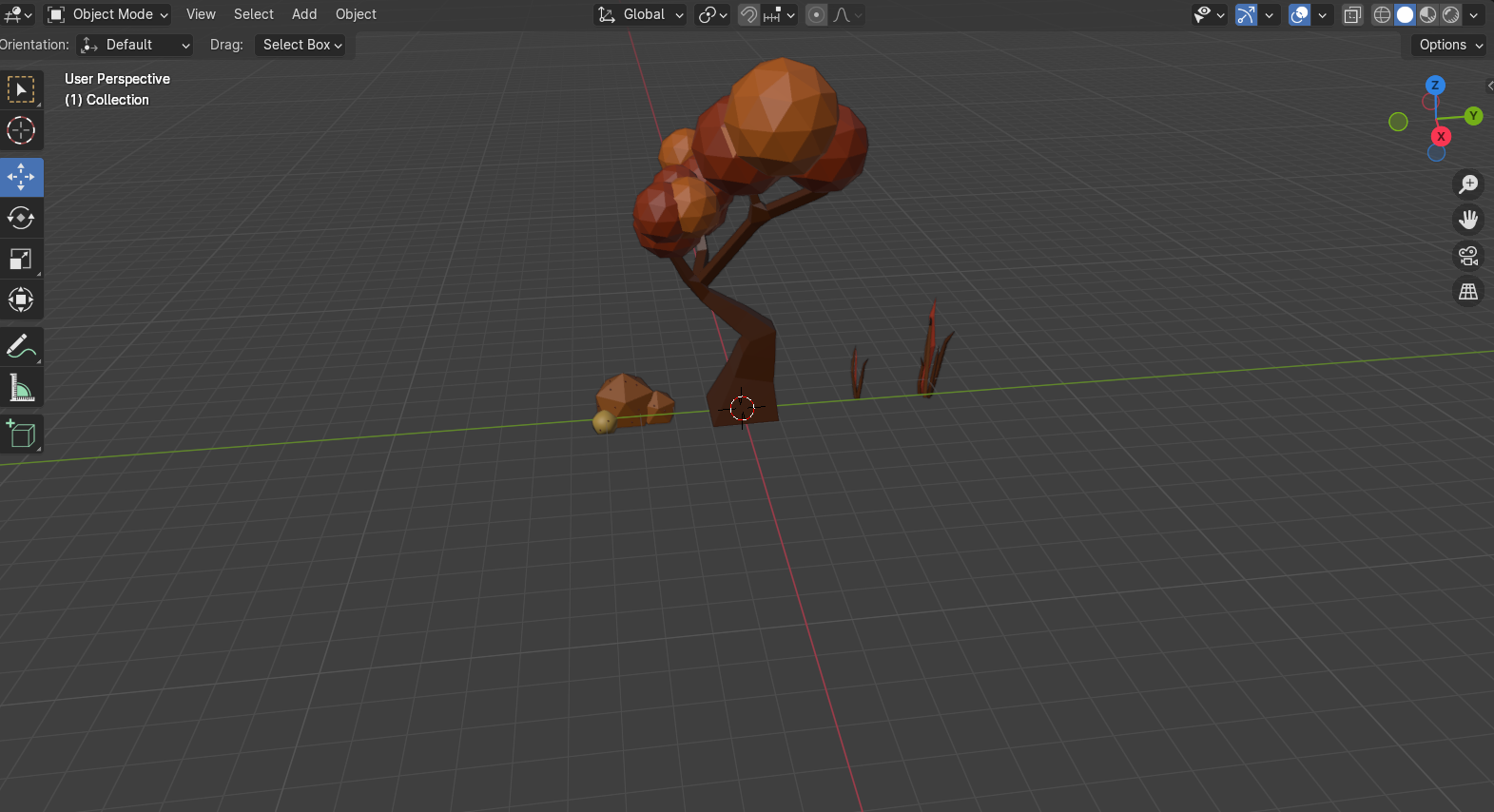
I then began to create object models in Blender. I created a cobblestone garden path and exported it as an fbx but then discovered that Aero couldn’t read complex geometry within imported files, and my model lost a lot of its detail.
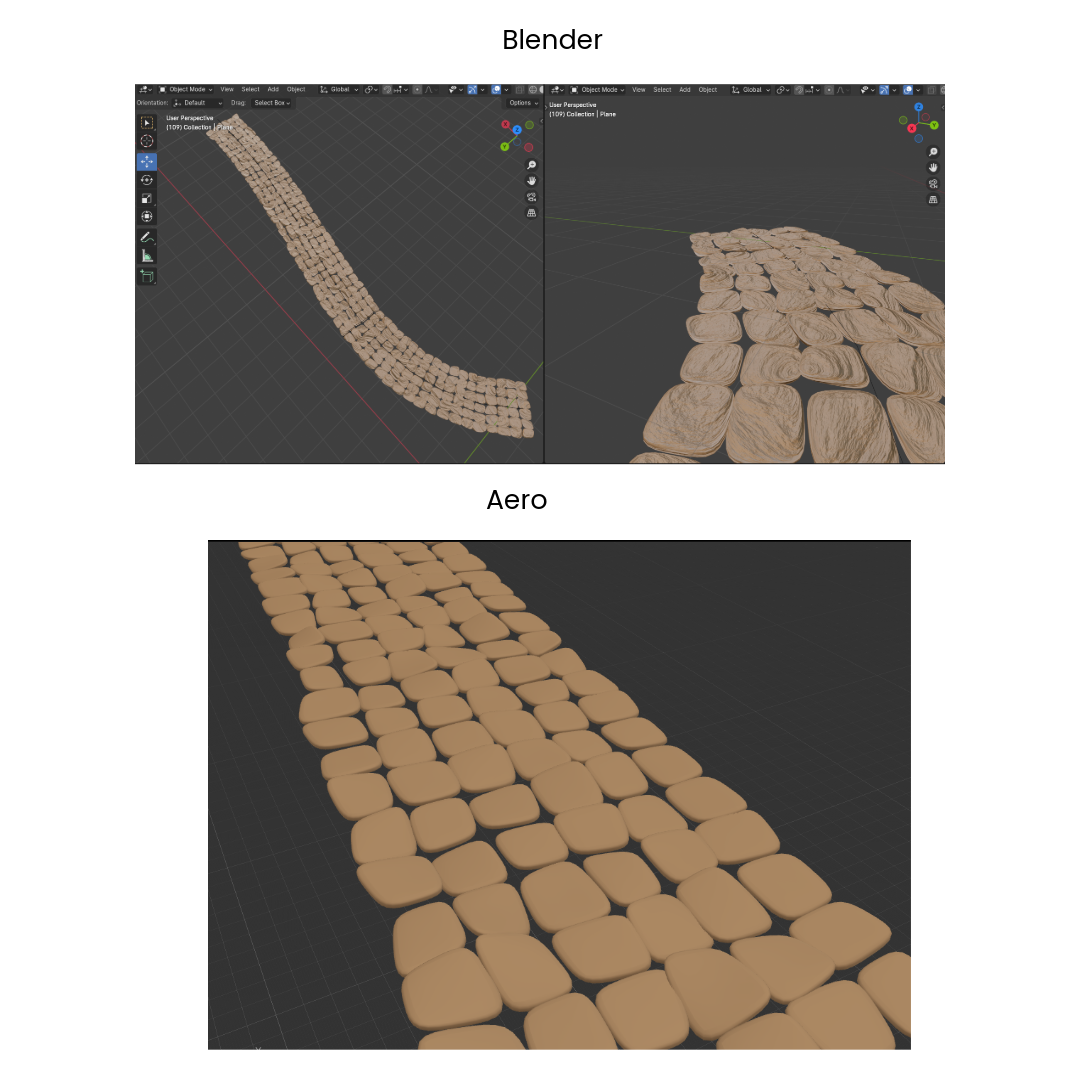
I had to instead create simplified, low-poly models. However, I found out that Adobe recommends working with low polygon counts in Aero due to the file sizes being smaller, leading to an overall smaller project size and faster loading times. All of which results in a better, much smoother user experience.
“When designing a scene in Aero, it is crucial to consider how your audience will have a great viewing experience. When a project is shared, it will travel to various devices across multiple networks. Due to this fact, it is vital to keep the file size optimized for quick delivery while balancing the experience with superb visual quality and user experience. Although Aero does not impose a scene size limit, it is recommended to stay below 50MB for smooth delivery and faster loading times” (Adobe, 2024)
I also figured that the use of low-poly models is more beneficial to the user, who may not feel as overwhelmed due to the stylization. Hyper realistic objects may feel too triggering and could upset agoraphobic users.
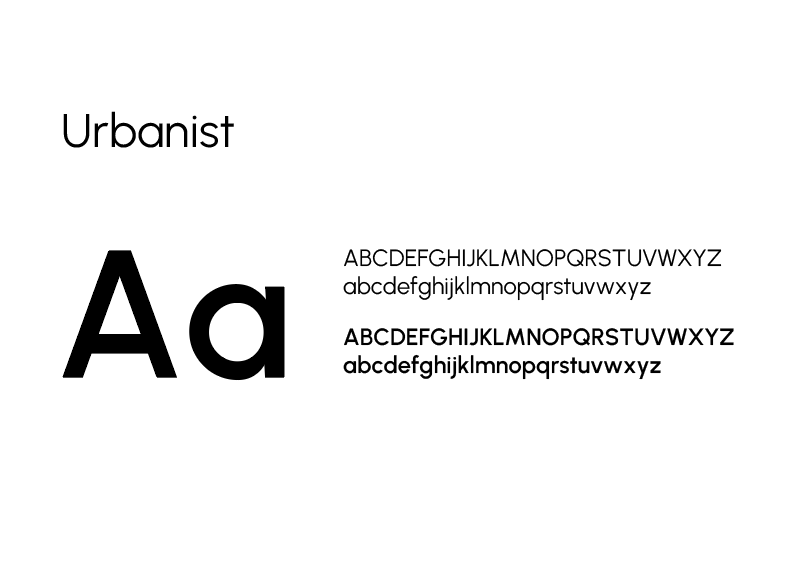
Being a graphic design student, I wanted to include a focus on some visual design elements such as typography. I learnt that variable typography works better for screens as it is more adaptable. I found Urbanist, a typeface which uses distinct rounded letterforms and appears very legible even at smaller point sizes.
When researching typography for AR, I found an article from Google which talks about the importance of the angle at which text is viewed in a 3D space.
“In AR/VR, texts are no longer experienced in a static form. Movement, rotation, and rendering factors (frame rate, resolution) create challenges for text display like perspective distortion, distance reading, distortion of letter shapes, etc. Some of these challenges are not new at all, but the three-dimensional medium changes the context and introduces new complexities.” (GoogleFonts, 2024)
To make sure the text isn’t obscured by the user’s position, I used Aero’s behaviors to ‘aim’ text toward the camera, so the user will always be able to see it ‘front on’ as they walk around.
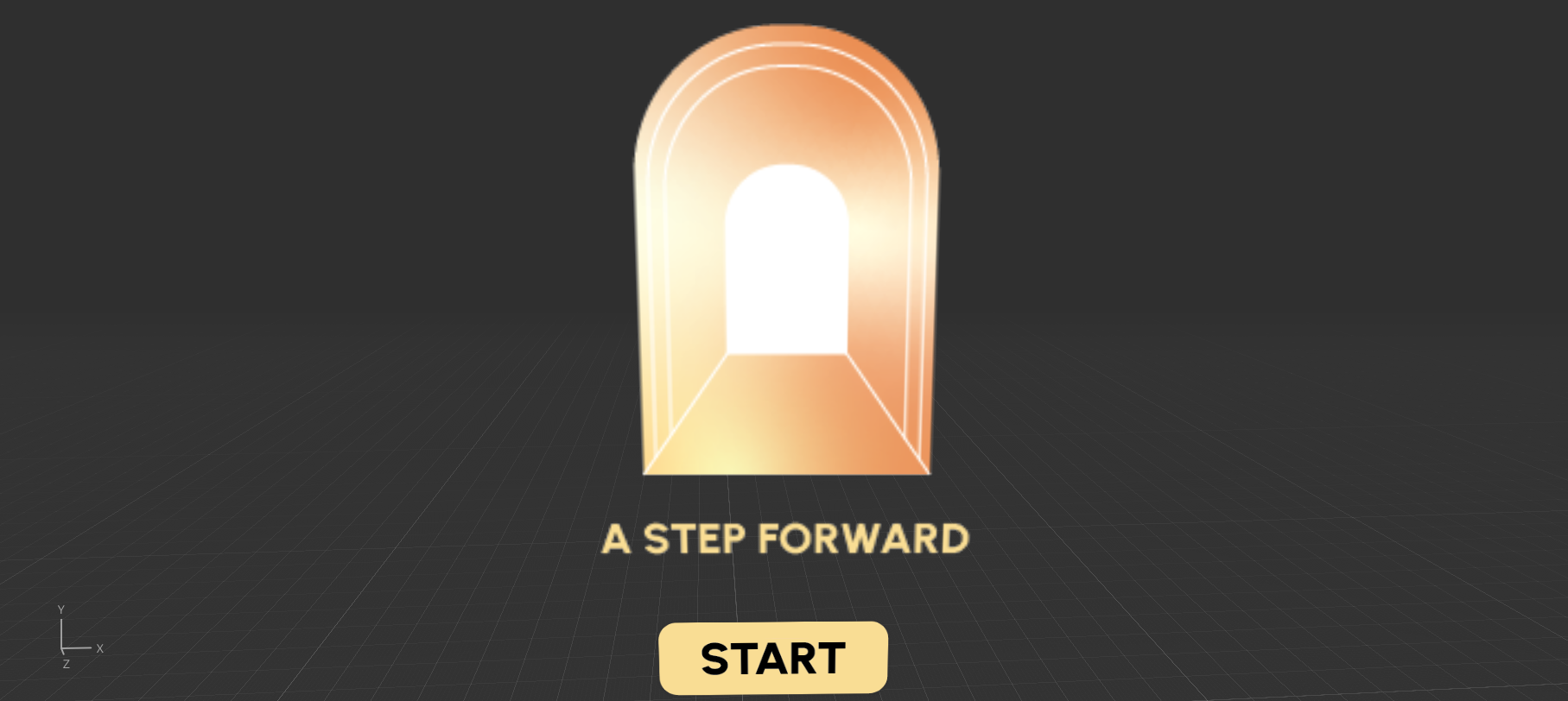
I also produced a logo for my project, which I named ‘A Step Forward’. The logo shows a warm, glowing archway, inviting the user to ‘step forward’. My aim for this logo was to have it displayed at the beginning of the AR experience along with a ‘start’ button so that the user feels eased in and can choose to begin when they feel ready. When clicked, both fade away to reveal the experience. This way, the user can relax more and doesn’t feel so suddenly overwhelmed.
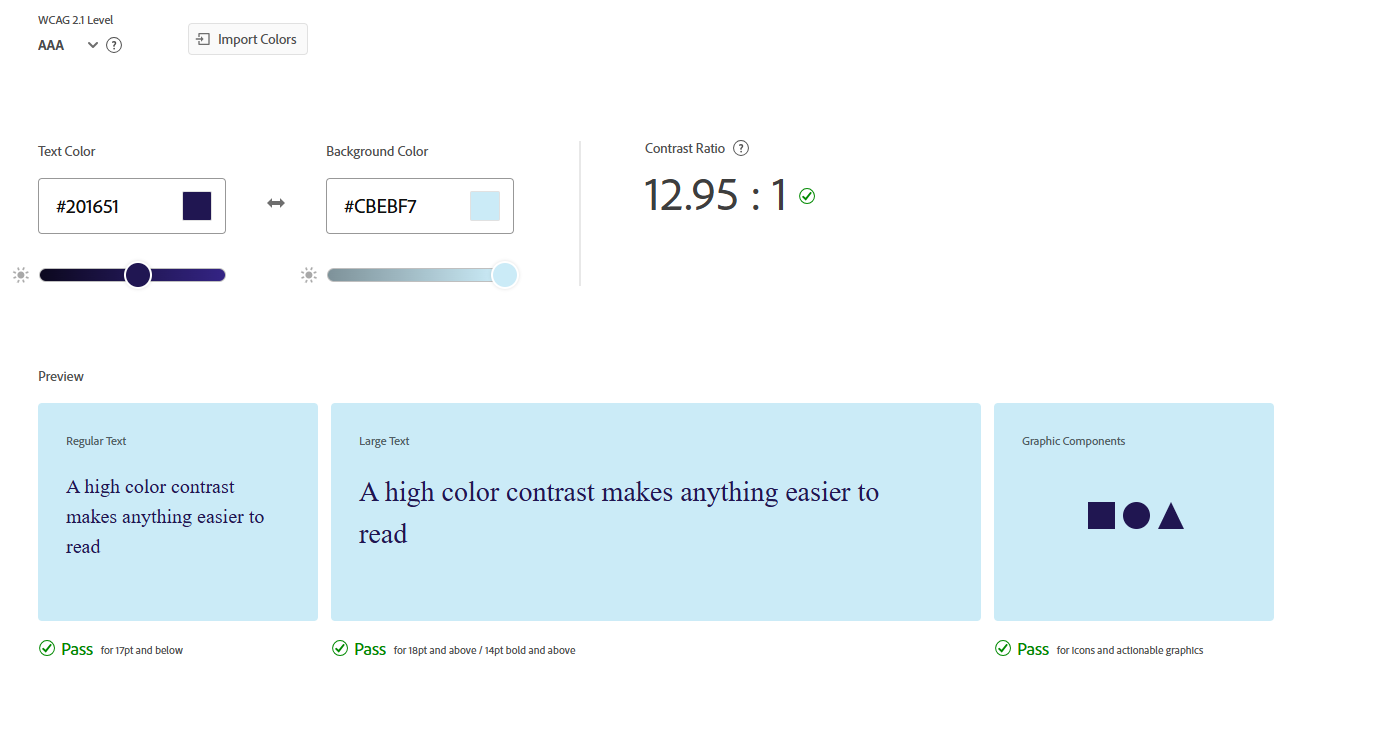
For colour, I chose to avoid bright, overstimulating palettes for a more muted and softer palette which felt more relaxed. I also tested the colour contrast levels in accordance with the WCAG AAA 2.1 standards to ensure accessibility, particularly for text upon buttons.
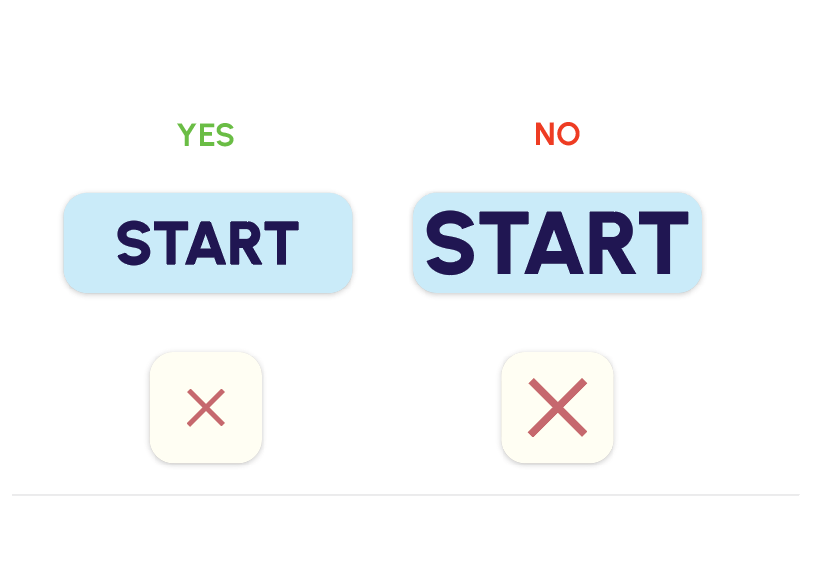
For my buttons, I used rounded shapes. I purposely avoided any sharp corners as I want my experience to feel calming, and the branding should reflect that. The rounded corners feel less intimidating and informal, which helps ease the user more.
I also took into consideration the padding inside of the buttons. Adding space around the text feels more breathable, whereas the tightly packed text feels claustrophobic and trapped, which I don’t want the user to associate with the experience.
I had made plus and minus buttons to allow the user to add and takeaway objects in the scene. However, Aero doesn’t allow you to repeat actions for the same button – which meant that clicking the button would only remove or add one object and couldn’t be retriggered for other objects.
My method for working around this issue was to create duplicates of the buttons and trigger each one to disappear after being clicked, causing the duplicate button to appear in its place. I could then link each button to a different object to create the ‘add’ ‘takeaway’ effect. To prioritize file size, I only applied this to a few objects to demonstrate how this would work as a finalized concept. I also found that I couldn’t fix the position of the buttons to always be on screen in front of the user. I tried to make the buttons follow the user, but they just trailed behind the camera instead. This meant I had to leave the buttons in a set position, which was quite awkward and is something I’d like to amend if I were to fully develop this concept.
With my design beginning to feel quite complete, I decided to begin my testing phase. I asked some classmates to test the AR experience and then share their thoughts in a questionnaire for feedback.
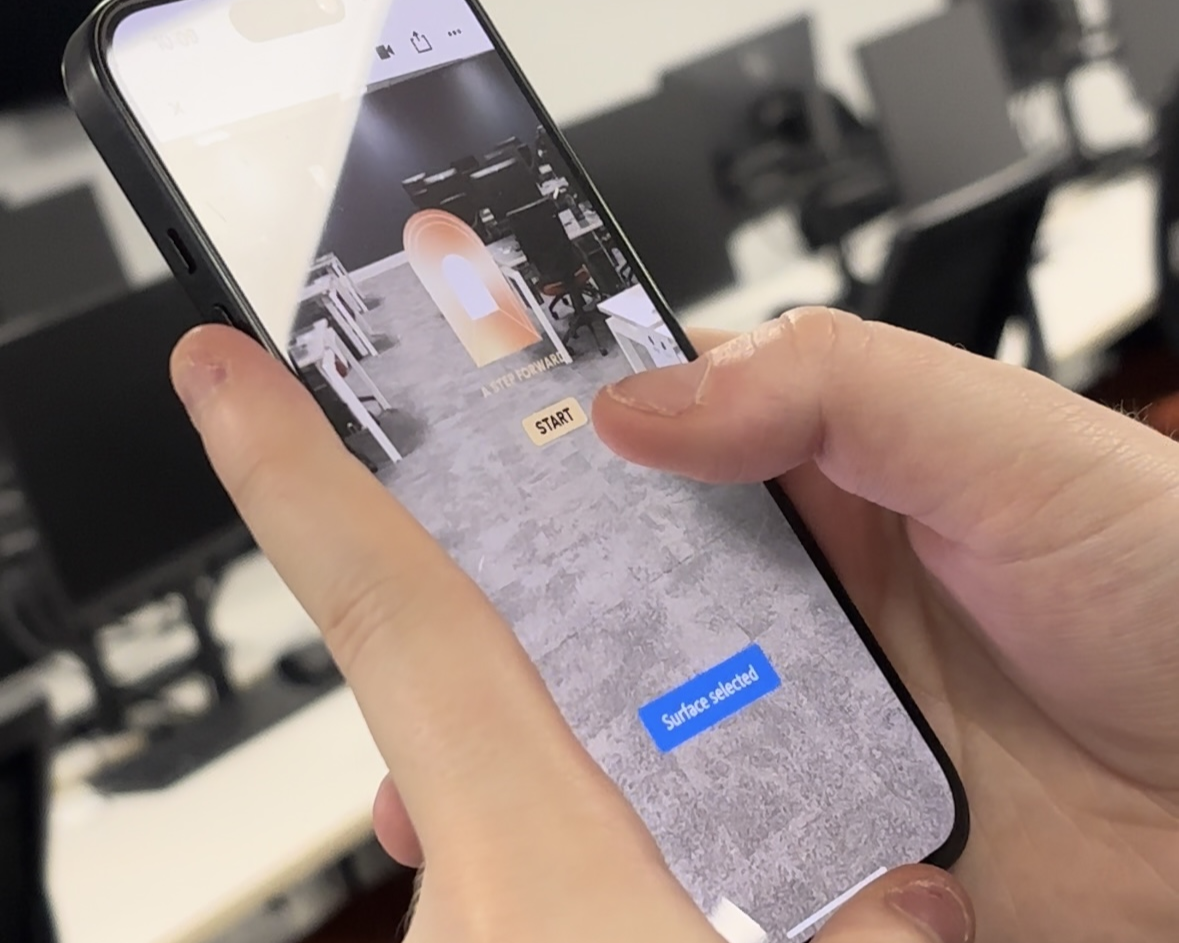
In response to feedback, I amended some issues such as the scene not locking to the ground, which I found out was because of the x y z positions. I also decided to try and add some more interactivity through proximity behaviours; however, I couldn’t achieve this as objects wouldn’t appear.
I think this is because of the set distance to the camera, which may vary on factors such as space, user height and where the camera is pointed. I set this idea aside and instead tried to think of other ways to add interesting motions and user interactions.
From here, I experimented more with the tap triggers. I decided to allow the user to change the season by clicking on the trees, which then transformed the scene from a spring setting to an autumnal one. The foliage turns from green to orange, and the rabbit transforms into a fox, which was another one of the preset models in Aero. The user can swap back by clicking again, which reverses the transformation. I left the flowers the same to prioritize file space, as it would mean reimporting lots of flowers again, which may bulk the file up too much and cause slower load times. I created some low poly leaves which I animated to fall down from the tree, making the scene feel more autumnal.
And finally, to complete my project, I made small adjustments to the ease-in effects on objects, and I fixed some small errors with things such as the button behaviours. Had I had chance to use proximity to ‘extend’ the scene, I would have liked to introduce human-character models imported from Mixamo, which is supported by Aero.
Overall, AR Portals are continuing to grow in popularity. They are already being utilized by brands to create interactive showrooms and are also proving to be useful in the travel and tourism industry, as they allow users to travel virtually despite factors such as COVID restrictions for example. They also cut down on fuel consumption and can in turn promote sustainability by cutting down on excessive air travel.
“Pressure for tourism organisations to adopt modern technologies has increased to the point it is now considered a necessity (Han, tom Dieck, and Jung, 2018). Recent, Covid-19 related travel restrictions have forced tourism attractions to find alternative ways to create and provide tourist experiences, resulting in increased interest in, and adoption of AR.” (E.Cramer, et al, 2023)
AR Video
QR Code

Reference List
Adobe (2024) Optimizing Assets for Augmented Reality (AR) [Quote]. Available online: https://helpx.adobe.com/uk/aero/using/optimize-assets-for-ar.html [Accessed: 13/12/2024]
Coppack, Nia (2023) What triggers agoraphobia? [Article]. Available online: https://www.mentalhealth.com/library/triggers-of-agoraphobia [Accessed: 13/12/2024]
E.Cramer, et al (2023) The role of augmented reality for sustainable development: Evidence from cultural heritage tourism [Quote]. Available online: https://www.sciencedirect.com/science/article/abs/pii/S2211973623001241#preview-section-snippets%20 [Accessed: 13/12/2024]
FreeSound_Community (nd) Garden Sunny Day [Audio]. Available online: https://pixabay.com/sound-effects/garden-sunny-day-54490/ [Accessed: 12/12/2024]
GoogleFonts (2024) Using type in AR & VR – Fonts Knowlege – Google Fonts [Quote]. Available online: https://fonts.google.com/knowledge/using_type_in_ar_and_vr [Accessed: 21/11/2024]
NHSProviders (2023) NHS Providers responds to call for long term mental health plan [Article]. Available online: NHS Providers responds to call for long term mental health plan – NHS Providers [Accessed: 25/10/2024]
NICE (2023) NHS approves virtual reality treatment for severe agoraphobia [Quote]. Available online: https://futurecarecapital.org.uk/latest/nhs-approves-agoraphobia-vr-treatment/?gad_source=1&gclid=CjwKCAjwg-24BhB_EiwA1ZOx8nbkac5QU9xNcOR6aHWQbdsFcYLjGt61hbTtq3CXgGQQSK7AA7nPFRoCyJkQAvD_BwE [Accessed: 25/10/2024]