As I near the end of this project, I am now going to begin to create promotional and supplementary materials for my app design, as well as some mock-up’s.
Recalling back to when I presented my project ideas to my peers right at the beginning of the year, I remember Ian’s advice of creating a web application to accompany my app design. Web applications are described as “applications that run on a different device than the primary intended or main application. They usually provide content that is similar to the primary user experience but could be a subset of it, having fewer features and being portable in nature.” (Zimmerman, nd) and they usually run off browsers rather than them being downloaded applications.
I was hesitant initially since my app uses features which aren’t as compatible with web apps, such as use of the camera, GPS and the inclusion of an image search feature which may overload the browser as it would be running solely off of the internet, whereas mobile apps are able to store information online and offline which leads to a smoother user experience and quicker loading times. However, I was worried that not having some form of website to accompany the app may isolate some of my target audience, so I decided to look at other apps and their websites.
I noticed that websites for apps such as Instagram offer users a simplified version of the app, allowing users to browse profiles and to comment and interact, but not to access the camera and create content for stories or posts straight from the camera. One of my app’s biggest selling points is the ability to access the camera and quickly identify a plant, so this approach wouldn’t work well for my app.
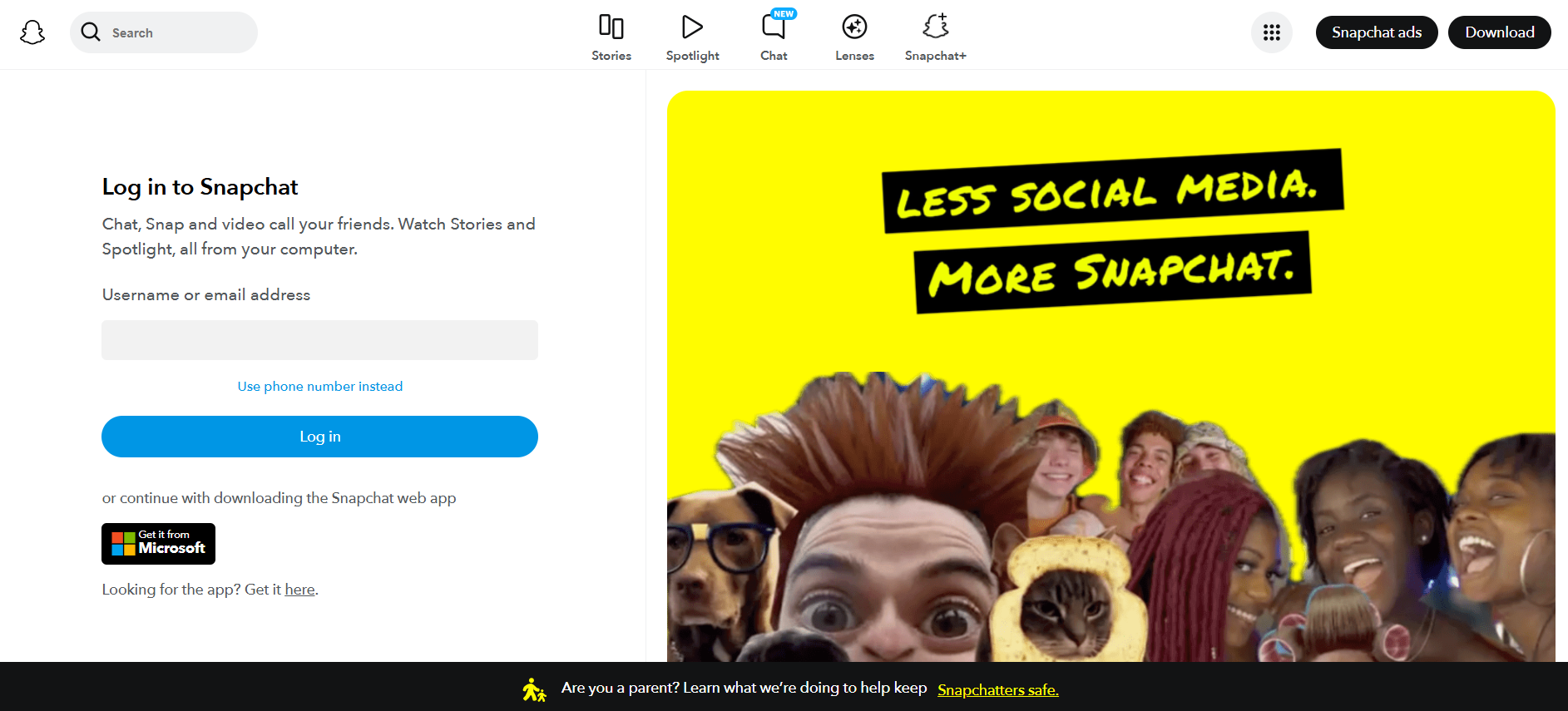
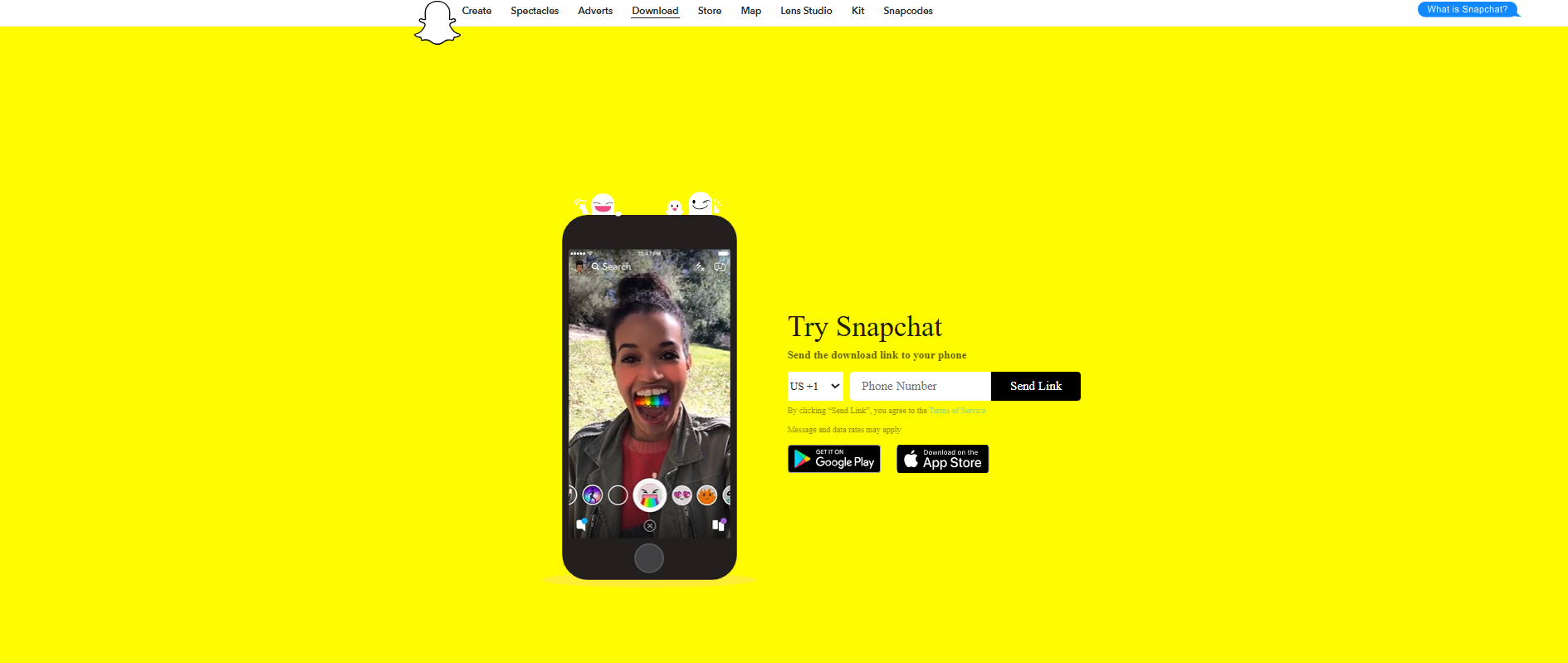
I then looked at Snapchat. Snapchat is an app that relies a lot on camera access. They do have a website which allows users to use their desktop camera to video call and send images to friends, though they do try to push you to download the app. I don’t remember Snapchat having a website, so I decided to look on the WaybackMachine and view archived photos of the site. Going back to 2018, I see that the website didn’t offer the feature to log in at all, and users couldn’t use any of the features online. They could only request a download link to their phones where they could then download the mobile app.
Snapchat website 2025
Snapchat website 2018
Because of this, I have decided to just stick with a basic site which directs users to the mobile app through the app store or google play store. This is because the app is still very young, so it would make more sense to focus on building a core user base on the app before branching out to other platforms. Through the site, users can still find out more about the app and contact them, but they cannot access the features such as profile log in.
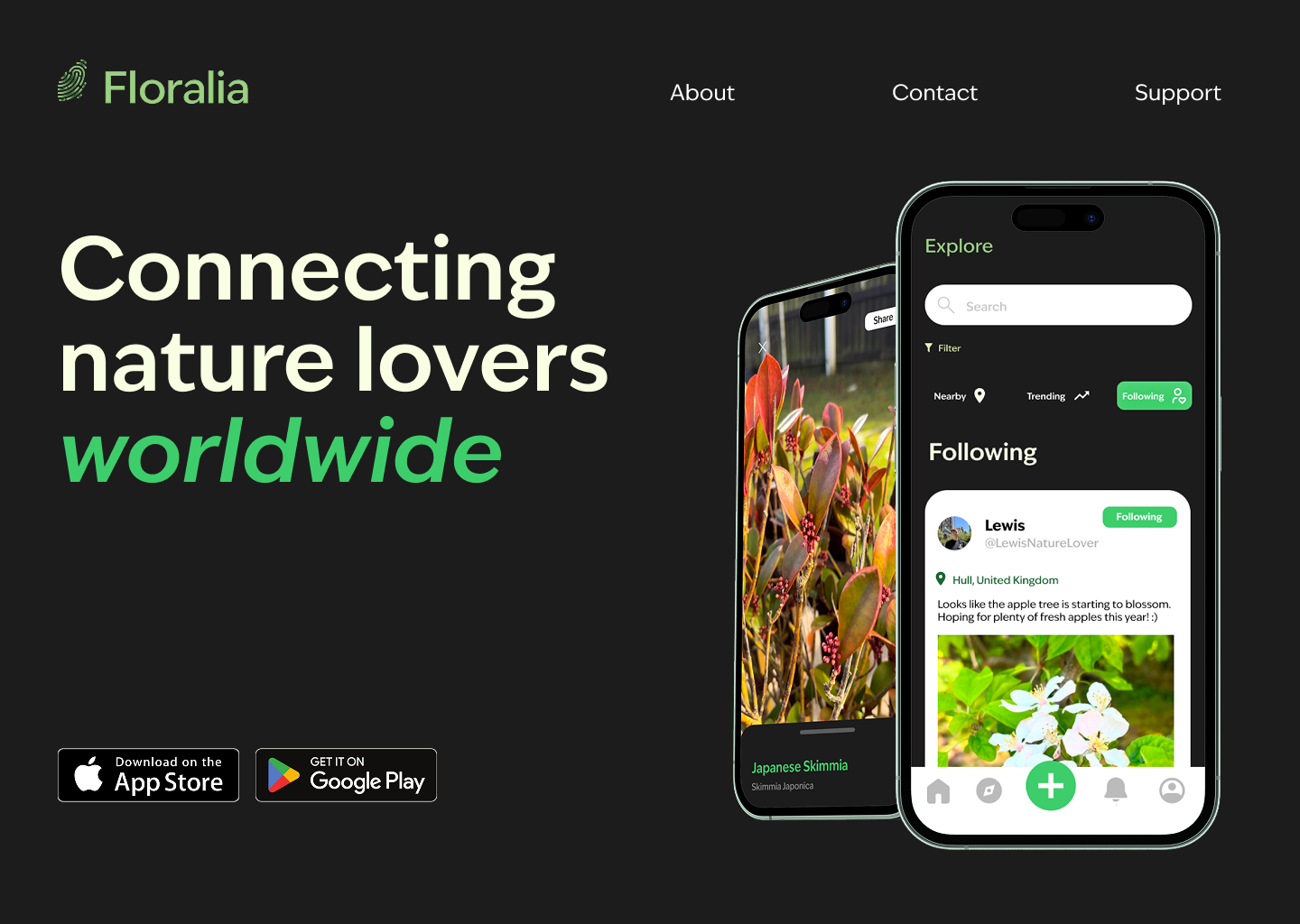
Using Figma, I have created a conceptual landing page for the web app. I have used the same visual language as the app to line with brand standards and make it recognisable, with the same fonts and colour schemes. I have also used Figma’s iMockup plugin to make mock-up phone screens displaying the app, placing them to the right of the screen alongside the heading tagline reading ‘Connecting nature lovers worldwide.’ There are links to the about, contact and support at the top of the screen, and download links for the App Store and Google Playstore at the bottom of the screen.
Landing page for Floralia web app
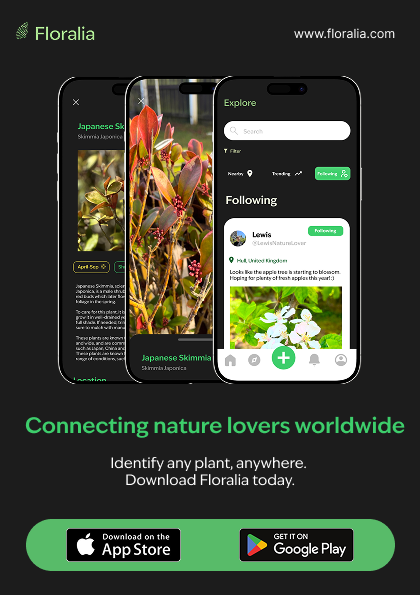
I then designed some print items advertising the app. I designed this flyer which utilises the same tagline as the website and has a call to action telling users to download the app today, as well as information on where to download the app from. These flyers can be handed out at events, such as conventions or fairs, or placed in garden centres or flower shops by the till for customers to pick up.
Floralia flyer design
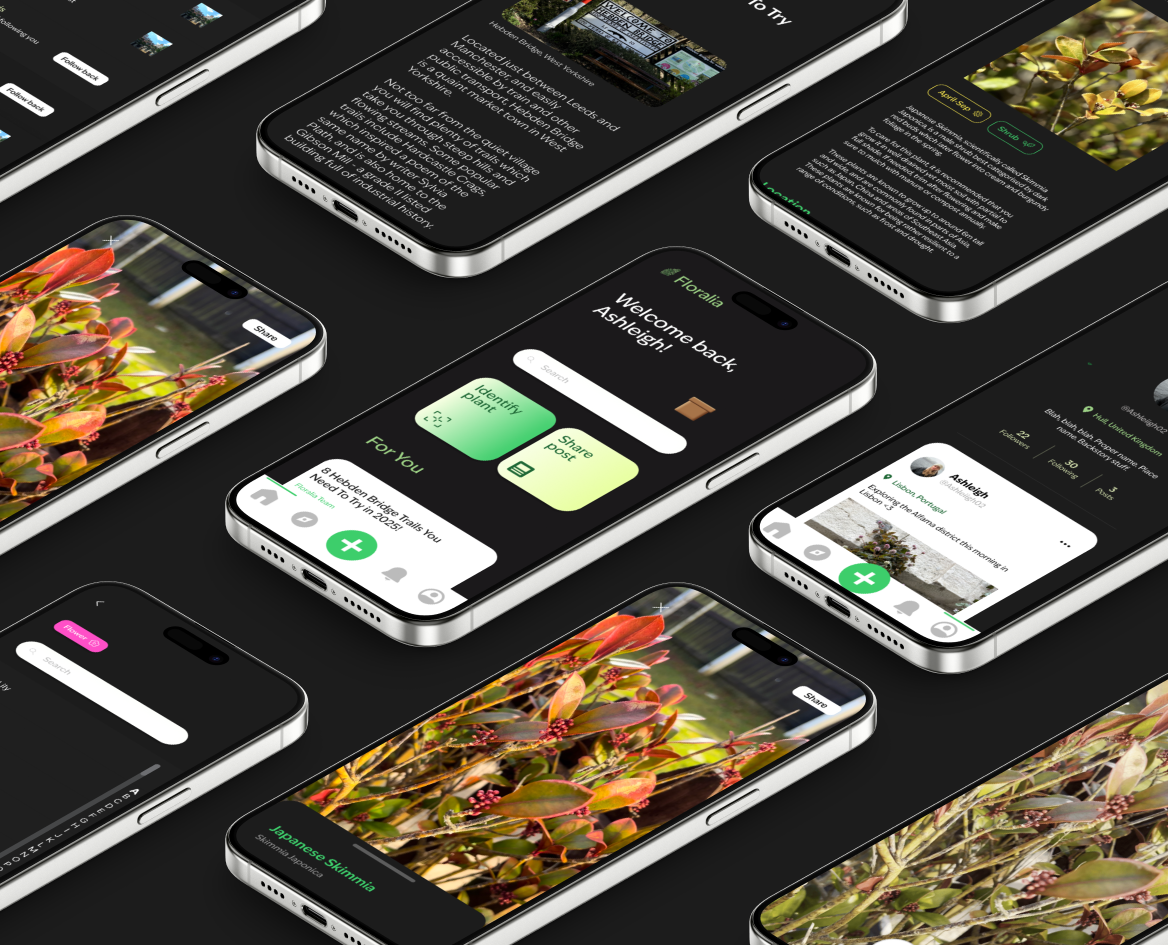
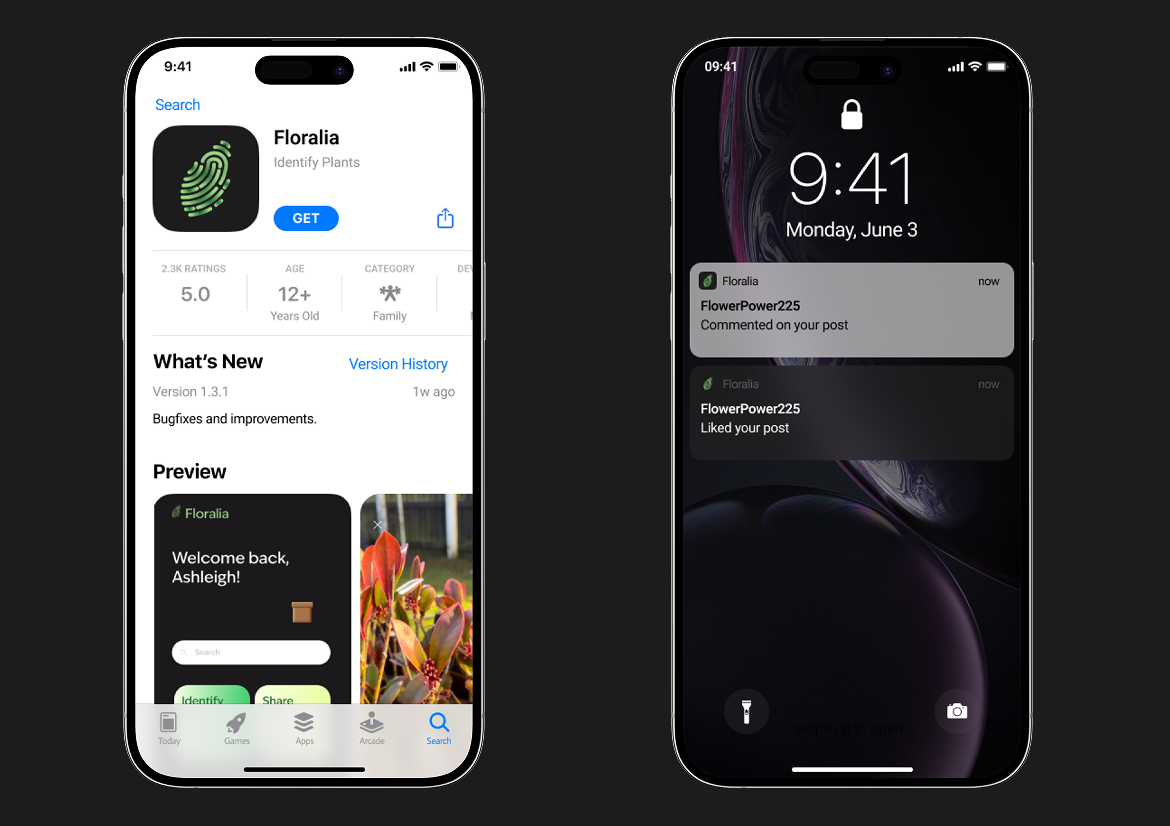
To go in my portfolio, I have produced some mockups of the app which show off the interface and its main features. I made a flatlay mockup of repeating mobile screens showing different pages of the app using the iMockup plugin. I then made a mockup which shows the app on the app store and in the notification centre, which I made by using a free figma app icon mockup which allows you to upload your app icon and then adds it to a series of preset mockups of different screens. I exported these screens and brought them back to the iMockup plugin to place them within an iPhone model. I did the same once more for a close shot of the app on the home screen with other apps. This will provide potential employers a quick overview of the project, though I have also made sure to include a link to the entire Figma file in case they want a more detailed look at the prototype.
flatlay mockup showing different pages of the app
Mockup which shows the app in the app store and in the notification centre
Mockup of the app amongst over apps on the home screen
References:
Apple (nd) Apple app store icon [Image]. Available online: https://www.svgrepo.com/show/303128/download-on-the-app-store-apple-logo.svg [Accessed: 02/05/2025]
Google (nd) Google Play icon [SVG]. Available online: https://www.google.co.uk/url?sa=i&url=https%3A%2F%2Fwww.dreamstime.com%2Fapp-store-image155321652&psig=AOvVaw2kuOmsuaHqGgnVltcLrqmb&ust=1746311527908000&source=images&cd=vfe&opi=89978449&ved=0CBQQjRxqFwoTCLjE0tvrhY0DFQAAAAAdAAAAABAE [Accessed: 02/05/2025]
Zimmerman, Ashley (nd) How to create a companion app for your website? [Article]. Available online: https://www.armia.com/blog/how-to-create-a-companion-app-for-your-website/#:~:text=What%20are%20companion%20apps%3F,and%20being%20portable%20in%20nature. [Accessed: 25/04/2025]